Starting today, Nintendo Switches will have a new and pretty useful feature.
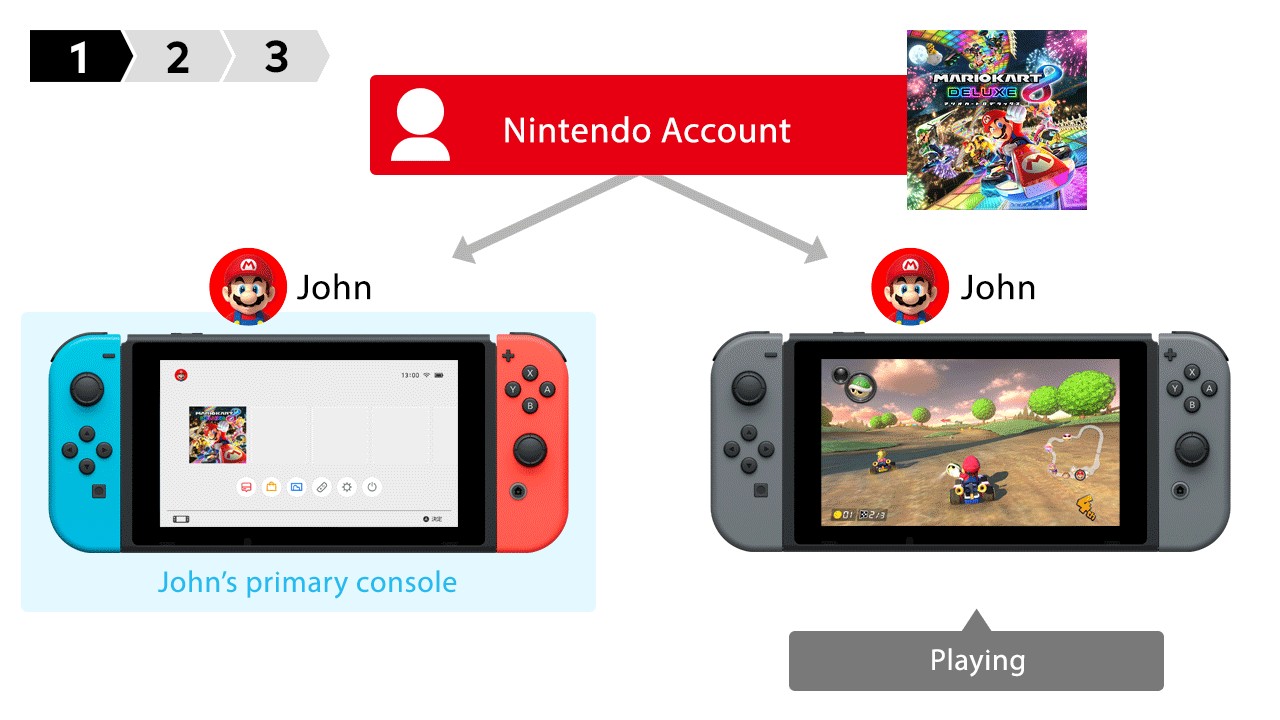
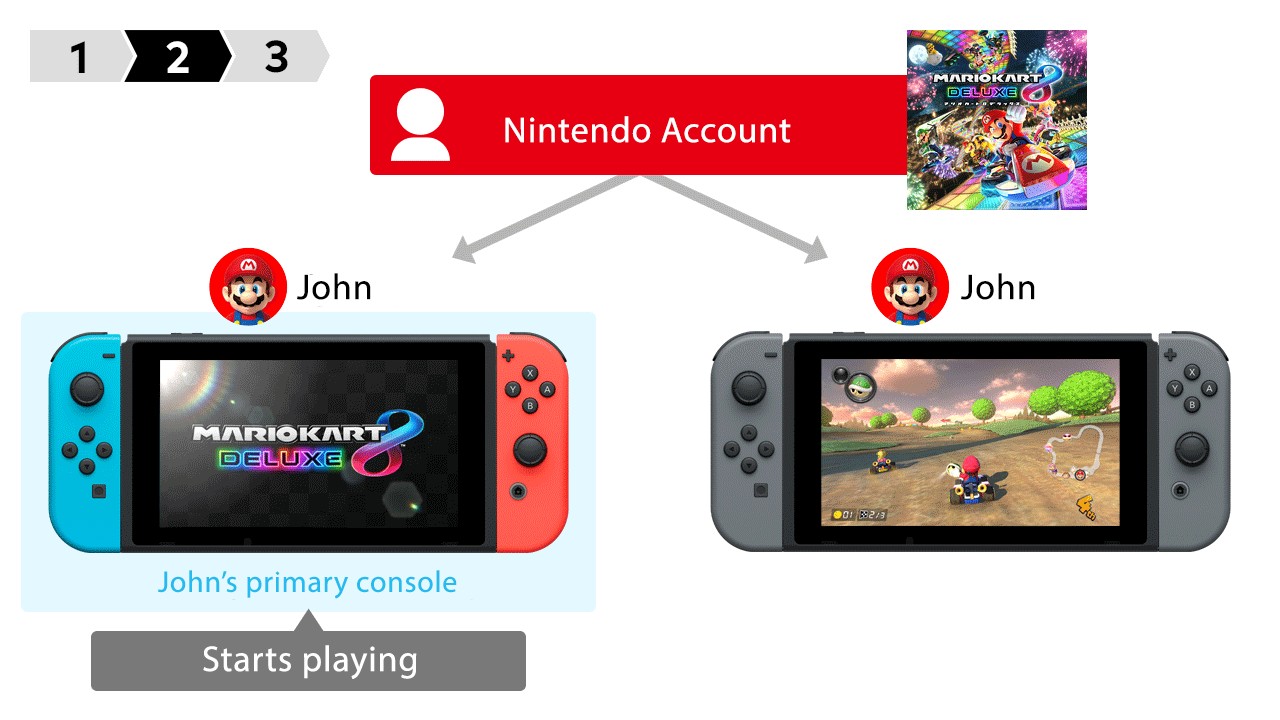
According to Nintendo, you can now play your digital titles on different Switch consoles by using the same Nintendo account. This is done by assigning a primary console and non-primary consoles.
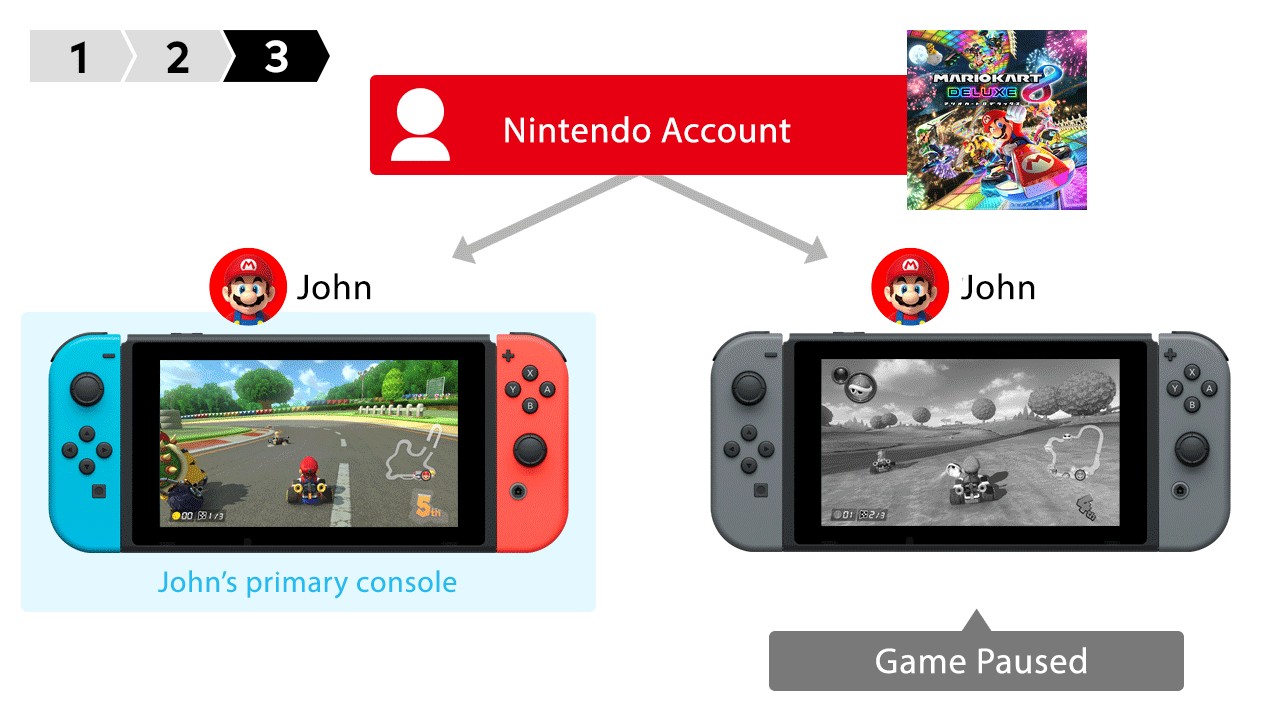
However, there are a number of limitations – such as needing to stay online on the non-primary console to play your digital games. Also, if the primary console or other non-primary consoles are used to play a Nintendo account’s digital games, a non-primary console will not be able to assess digital games from that account.
Check out the details below.
The first time you use your Nintendo Account to connect to the Nintendo Switch eShop, the Nintendo Switch console you use will be activated as the primary console for your Nintendo Account. After you have designated your Nintendo Account’s primary console you can still link that account to other Nintendo Switch consoles, but these consoles will not be activated as primary consoles.
When using the primary console, any user on that device can play downloadable content you have purchased. You are also not required to connect online prior to using downloadable content on your primary console (an Internet connection is required to use online features or games which require a subscription service).
If you deactivate your primary console, the next time you use your Nintendo Account to connect to Nintendo eShop on a Nintendo Switch console, that console will become your Nintendo Account’s primary console.
To verify whether a console is the primary console for your Nintendo Account, check the “Primary Console Status” in your Nintendo eShop Account Information.
Key Points:
Primary Console:
- You can have one primary console at a time for your Nintendo Account.
- The first Nintendo Switch console you use to connect to Nintendo eShop on Nintendo Switch will become your primary console.
- While using the primary console, any user account on the console can play the downloadable content you have purchased.
- While using the primary console, you do not need to have an active Internet connection while playing downloadable software.
- An Internet connection is still required to use online features or games which require a subscription service.
- You can change which Nintendo Switch console is your primary console but you must first deactivate the current primary console.
Non-Primary Console:
- A Nintendo Account can be linked to Nintendo Switch consoles that are not designated as the primary console, however, some functionality differs from when a Nintendo Account is used on a primary console.
- While using a non-primary console, you can still use the Nintendo Account to access the Nintendo eShop, purchase and download software, and under certain conditions, play your downloadable software.
- While using a non-primary console, you must have an active Internet connection to play downloadable content.
- If you lose your Internet connection while playing downloadable content on a non-primary console, your game will pause after a certain amount of time; however, once you connect online again, you will be able to resume from the point you left off.
- While using a non-primary console, downloadable content can only be started by the user that purchased the content.
- When using downloadable software on a non-primary console, your game will pause if your Nintendo Account is used to access downloadable software on any other Nintendo Switch console.
How It Works:
Activating your primary console:
- Link a Nintendo Account to your Nintendo Switch console.
- Access the Nintendo eShop and select your Nintendo Account.
- If the Nintendo Account does not already have an active console, this console will become the primary console for your Nintendo Account.
Making a different console the primary console:
- Access the Nintendo eShop on your primary console and deactivate the console for your Nintendo Account from the user menu.
- If you do not have access to the original console, you can also deactivate a primary console off-device once per year.
- Off-device deactivations can be done by visiting accounts.nintendo.com, selecting “Shop Menu”, and then “Deactivate Primary Console”.
- On the second Nintendo Switch console, use the same Nintendo Account to access the Nintendo Switch eShop. This is now the activated console for your account.
Although Deltarune Chapter 5 was just released earlier this week, many fans are eagerly anticipating…
Capcom has released new updates for Monster Hunter Stories 3: Twisted Reflection. The paid DLC…
Ratata Arts has announced they are delaying the release of Ratatan. The spiritual successor to…
In 2022, Nintendo acquired a plot of land in Kyoto to build a new Development…
Nintendo has announced a new set of icon customizations for the Switch Online Missions &…
Inti Creates has announced the release date for Azure Striker Gunvolt Trilogy Enhanced Switch 2…